

UltimaSerial Data acquisition with UltimaSerial
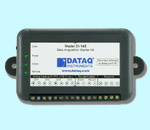
USB-based DI-148, DI-158, DI-710, DI-715B & DI-718B are now supported by Ultimaserial
158u.jpg (11869 bytes)

Let UltimaSerial unleash the power of your Windaq Starter kit!


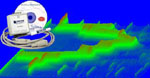
UltimaWaterfall

UltimaWaterfall


FFT1024

FFT1024


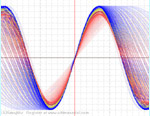
XChart


Ultimaserial Classroom

Lessons on how to use UltimaSerial


download.jpg (1018 bytes) Downloads


Registration.jpg (4365 bytes)

info@ultimaserial.com


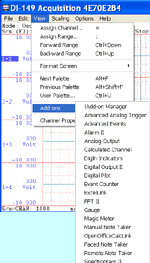
Ultimaserial is designed for users who wants to get the most from their Windaq Starter kits! If you are planning to use the high-end products from DATAQ Instruments, such as DI-720/730, please use DataqSDK instead. You may use UltimaWaterfall & FFT1024 without Ultimaserial, such as Windaq add-on.

Features

Ultimaserial

DataqSDK

Portable.

No need to pre-install drivers when you change COM port


You can use the device on any COM and USB port without pre-installing the Dataq driver through Windaq installation

(The USB driver still needs to be installed once)

No, Windaq installation is required for distribution
Intelligent USB port supports makes your program fully portable Yes! No
Easy start for USB-based devices:

Specify the serial number of the device, and let Ultimaserial  look for the device!

Yes! No
Autodetect USB-based device Yes No
Analog Transitional Trigger Mode with pre-defined data length before trigger point and pre-defined data length after trigger point, including non-stop Trigger on transition on a specified analog channel No


Event Counters for Low-to-High or High-to-Low Transition  Use digital inputs as presetable event counter No
Digital Transitional Trigger Mode with pre-defined data length before trigger point and pre-defined data length after trigger point, including non-stop Trigger on transition on a specified digital channel No
Immediate AD Readings Direct access to AD channels as immediate readings No
Finer sample rate tunning Here are some acceptable sample rates for DI-194/154: 480, 457, 436, 417, 400, 384, 369, 355, 342, 331, 320, 310, 300, 291, 282, 274, 267, 259, 246, 240, etc. No
Event counter activated trigger mode with pre-defined data length before trigger point and pre-defined data length after trigger point, including non-stop Use Event counter as trigger condition No
Analog Level Enabled Mode Analog level triggering No
Digital Level Enabled Mode Digital level triggering No
LimitLine monitoring Analog level monitoring No
Catch trigger event Report trigger event No
Catch limit level Report level monitoring No
Catch the min/max reading of the duration of the test Statistic feature  No
Digital Inputs Easy access to digital inputs Not easy to access
UltimaWaterfall Yes! N.A
FFT1024 Yes! N.A

Source codes to run DI-158:

Private Sub Start_Click()
UltimaSerial.Device = 158
UltimaSerial.CommPort = USB
UltimaSerial.ChannelCount = 1
UltimaSerial.SampleRate = 1000
UltimaSerial.EventLevel = 2
UltimaSerial.Start
End Sub

Private Sub Stop_Click()
UltimaSerial.Stop
End Sub

Private Sub UltimaSerial_NewData(ByVal Count As Integer)
v = UltimaSerial.GetData()
DQChart1.Chart (v)
End Sub

Last update: 10/05/07

Copyright: 2000-2005  www.UltimaSerial.com