UltimaSerial

FFT1024 is a free 1024-point FFT ActiveX control, a FFT utility downloaded from a public domain and and wrapped into an easy-to-use ActiveX control
If you can't see the video above, please click this YouTube link directly
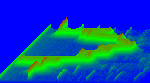
You can find that it is used in our project of Sound Analyzer that uses the microphone on PC to display the spectrogram of your voice
Installation:

The package contains FFT1024, XChart and UltimaWaterfall, executable demos and VB samples for the charting utilities. The waveforms are generated artificially, making it a good starting point to incorporate these charting utilities with any user data.
Two VB6 sample programs are included:
demo_xchart: demonstrate how to create an user data array to send data to XChart.
demo_waterfall_1024: demonstrate how to create a waveform for FFT1024 and Ultimawaterfall
If you use VisualBasic Express 2008 Edition, please get the source codes from here
Features:
-
1024 point FFT
-
Data windowing
-
Return scaled power spectrum compatible for UltimaWaterfall and XChart
-
Provides variant and single access/assignment for the result/data
-
Comes with VB samples, one uses artificial waveforms. Or you can find that it is used in our project of Sound Analyzer that uses the microphone on PC to display the spectrogram of your voice
For programmers:
-
To learn how to use FFT1024, please refer to the sample programs included in the installation.
-
Sound Analyzer also uses this control to interface to the microphone on PC to display the spectrogram of your voice
-
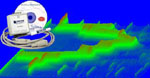
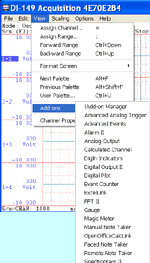
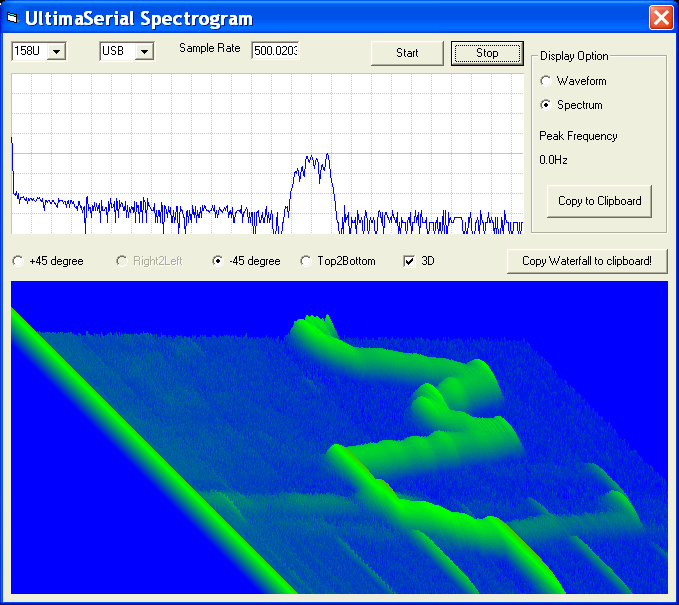
If you have a Windaq Starter kit, UltimaSerial Spectrogram is also a good starting point (see its output window at the bottom of this page)
-
Source codes for FFT1024 ActiveX can be downloaded here
Properties and Methods:
BOOL FFTWindow
When set, a window will be applied to the data before FFT operation
short PowerScaler()
Scaling factor for power spectrum output
void Waveform(const VARIANT FAR& data)
Waveform input via a 16-bit signed integer array
VARIANT Power()
16-bit integer scaled power spectrum output
void SetWaveformPt(short idx, short data)
Specify a data at a location specified byidx, where
data is a16-bit signed integer
0<=idx <1023
short GetPowerPt(short index)
Get the scaled power output at index point
void FFTNow(short size)
Perform FFT
short PeakIdx
Retrieve the index of the peak frequency
short GetRe(short idx)
Retrieve the real component at index point
short GetIm(short idx)
Retrieve the imaginary component at index point
Last update : 02/29/12
Copyright: 2000-2011 www.UltimaSerial.com